• Home
  • Inline Documentation
  • Private Doc
  • Search
  • Home
  • Inline Documentation
  • Private Doc
  • Search
  • Introduction
  • Log In
  • How to create an Account
  • How to create a Product
  • How to create a Price Book
  • How to create an Opportunity
  • How to add Products to an Opportunity
  • What is the purpose of Invoice Template Object
  • What is the purpose of Invoice Billing Object
  • How to add a trigger to Invoice Billing records
  • How to send Invoices

How to create an Opportunity

15 views 0

Written by admin
March 29, 2024

1. Select the “Opportunities” menu item at the top.
2. Click the “New” button in the top right corner.

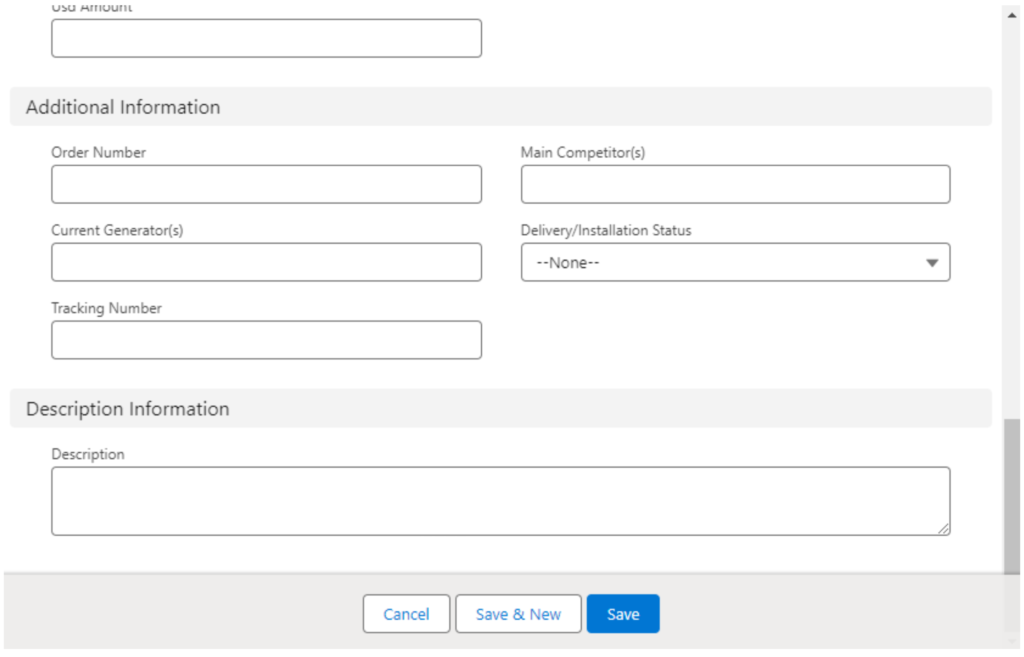
3. Fill out all of the fields in the “Opportunity information”, “Additional information”, and “Description” sections. Fill in optional fields as needed.
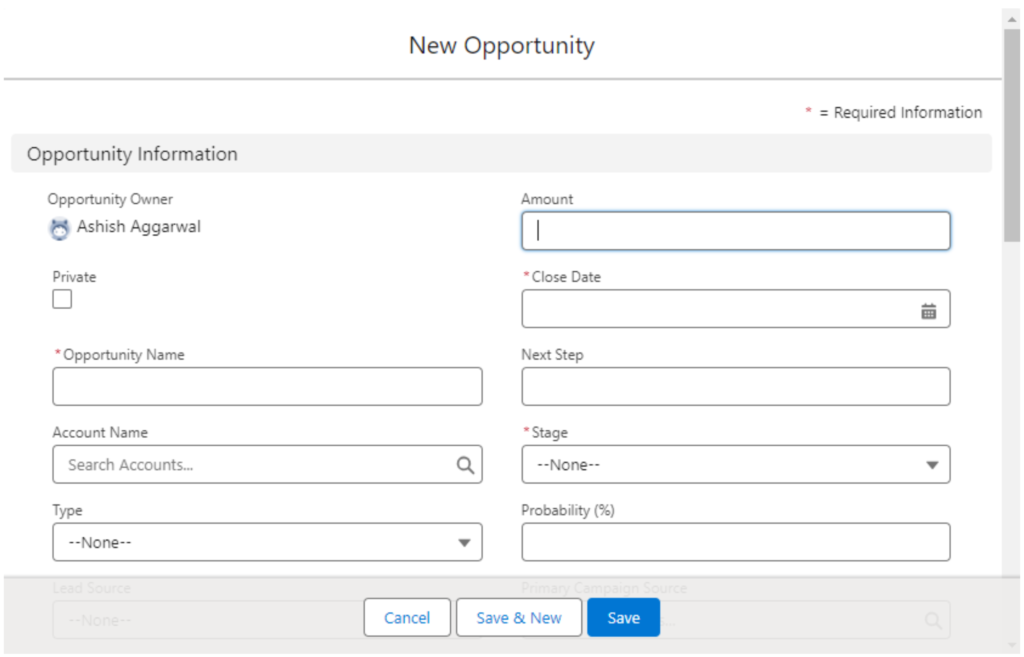
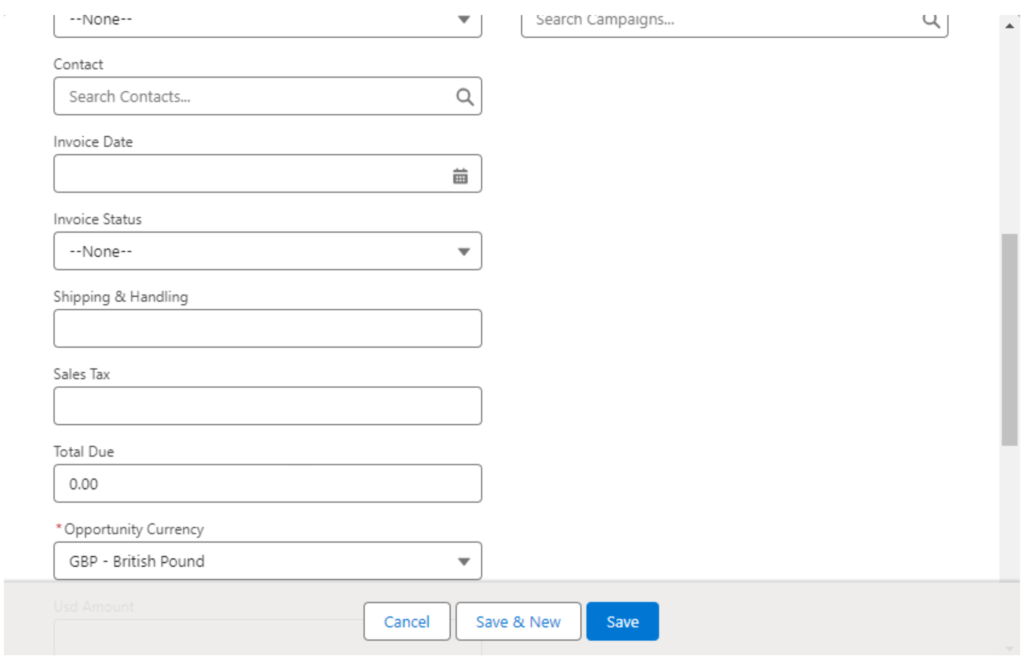
4. Click the “Save” button

Was this helpful?

Yes  No
Related Articles
  • How to send Invoices
  • How to add a trigger to Invoice Billing records
  • What is the purpose of Invoice Billing Object
  • What is the purpose of Invoice Template Object
  • How to add Products to an Opportunity
  • How to create a Price Book

No luck finding what you need? Contact Us

Leave A Comment Cancel reply

Previously
How to create a Price Book
Up Next
How to add Products to an Opportunity
Copyright 2022 SmartWpThemes.com. All Rights Reserved