
1. Click on the opportunity that you made.
2. Select the “Products” item on the right side of the page.
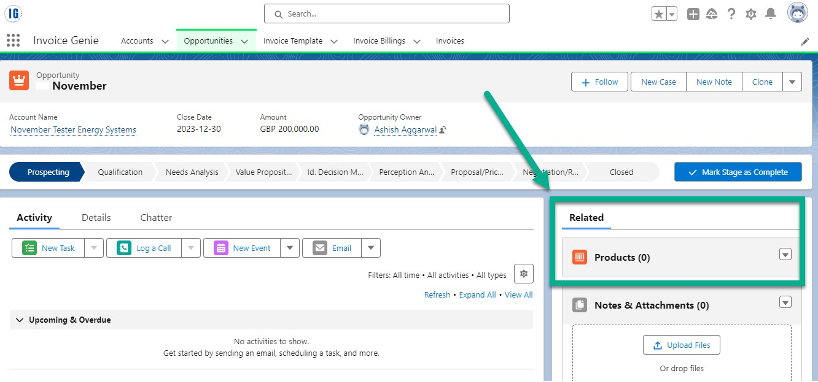
3. Click the down arrow button, then pick the “Add Product” option and choose products from the list.
4. Alternatively, click “Choose Price Book” to select products from the price book you have prepared.
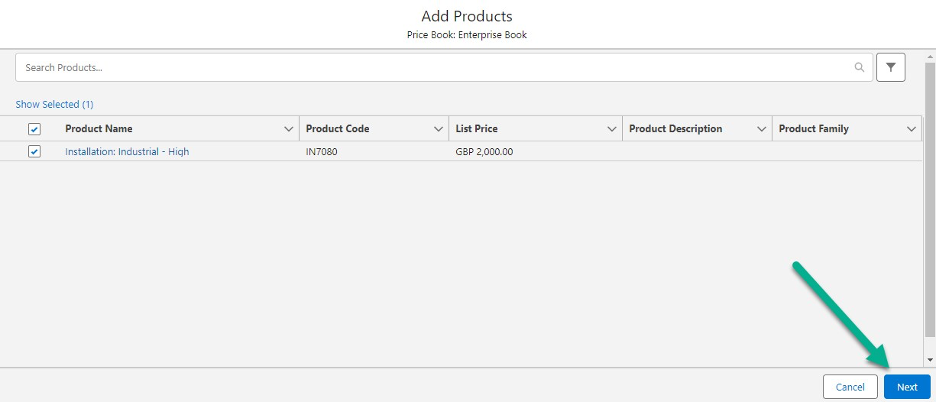
5. Click the “Next” button.
6. Enter the product quantity and click the “Save” button.
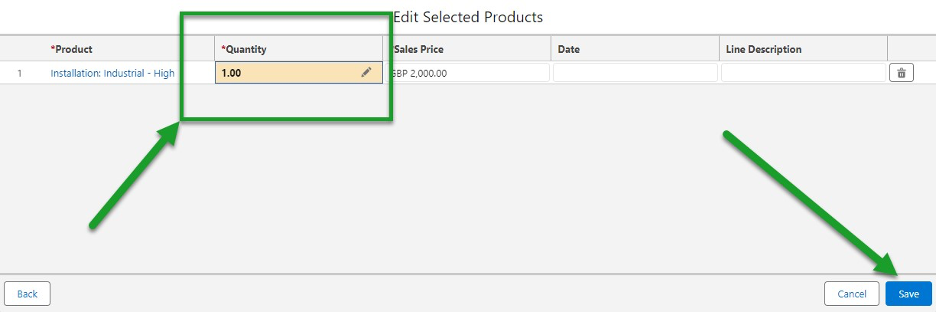
You now have an opportunity that includes a list of products.