
1. Select the “Invoices” item from the upper menu.
2. Click the “New” button on the right side of the page.
3. Click the dropdown menu and select the desired invoice billing.

4. Following that, a list of your opportunities will be displayed. Check the necessary boxes to Email or Print.
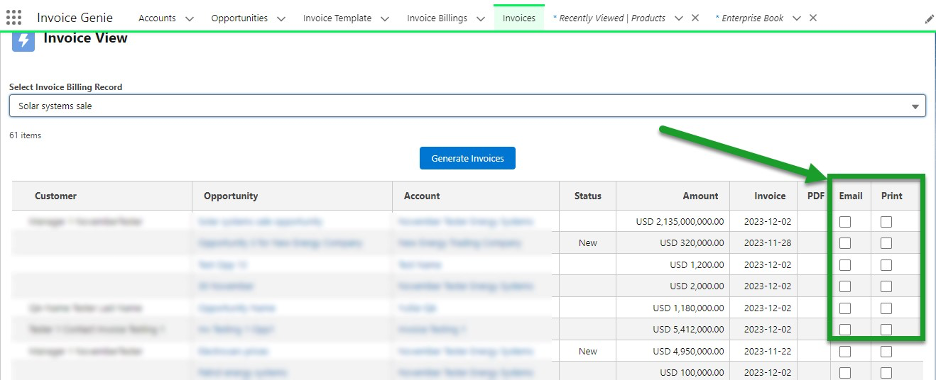
5. Click “Generate Invoices”.
6. The invoices are emailed or printed. A PDF icon appears in the “PDF” column, which you can open and download.
